
Pigsty v1.2: PG14 Default, Monitor Existing PG
Originally published on VONNG.

Pigsty v1.2 is officially released, making PostgreSQL 14 the default version and adding support for monitoring existing database instances independently.
PostgreSQL 14 Becomes the Default
PostgreSQL 14 was released last month with significant improvements across the board, especially in observability. After deployment and thorough testing in multiple production environments, PostgreSQL 14 is now Pigsty’s default database version.
Meanwhile, the time-series extension TimescaleDB 2.5 and geospatial extension PostGIS 3.1, both compatible with PG14, are now installed and enabled by default. Combined with the distributed database extension Citus 10, this delivers a truly batteries-included space-time hyper-converged open-source PostgreSQL distribution.
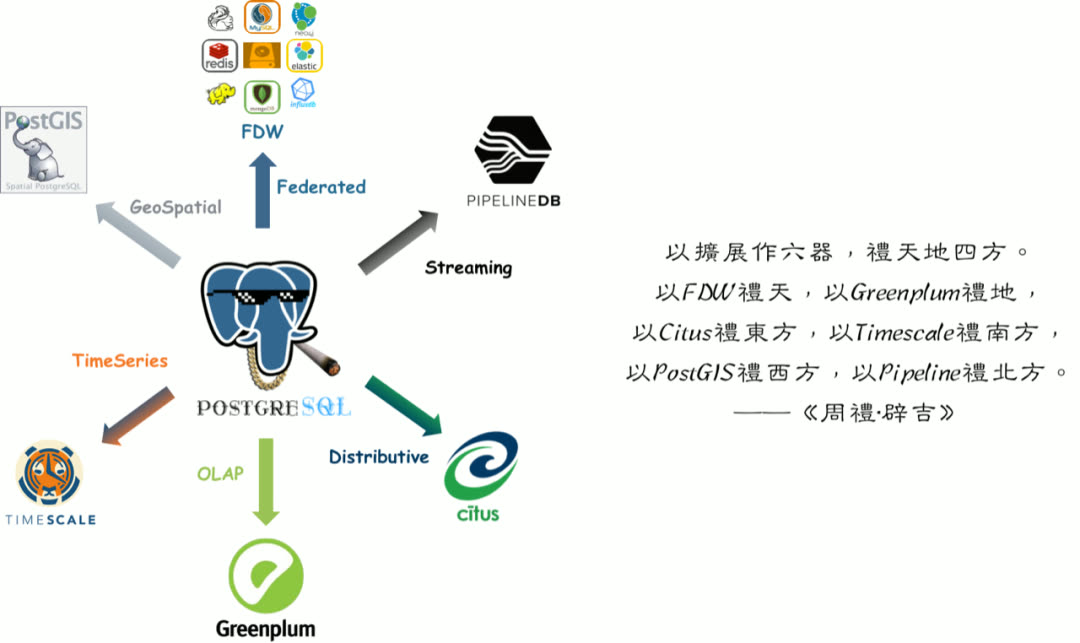
All three are mutually compatible and can be used together.
Monitor-Only Deployment Mode
The second major feature is monitor-only deployment mode. Previously, Pigsty as a distribution tightly coupled its monitoring system with its deployment solution. However, many users want to use only Pigsty’s monitoring system to monitor existing database instances, cloud databases, or other RDS products and derivatives.
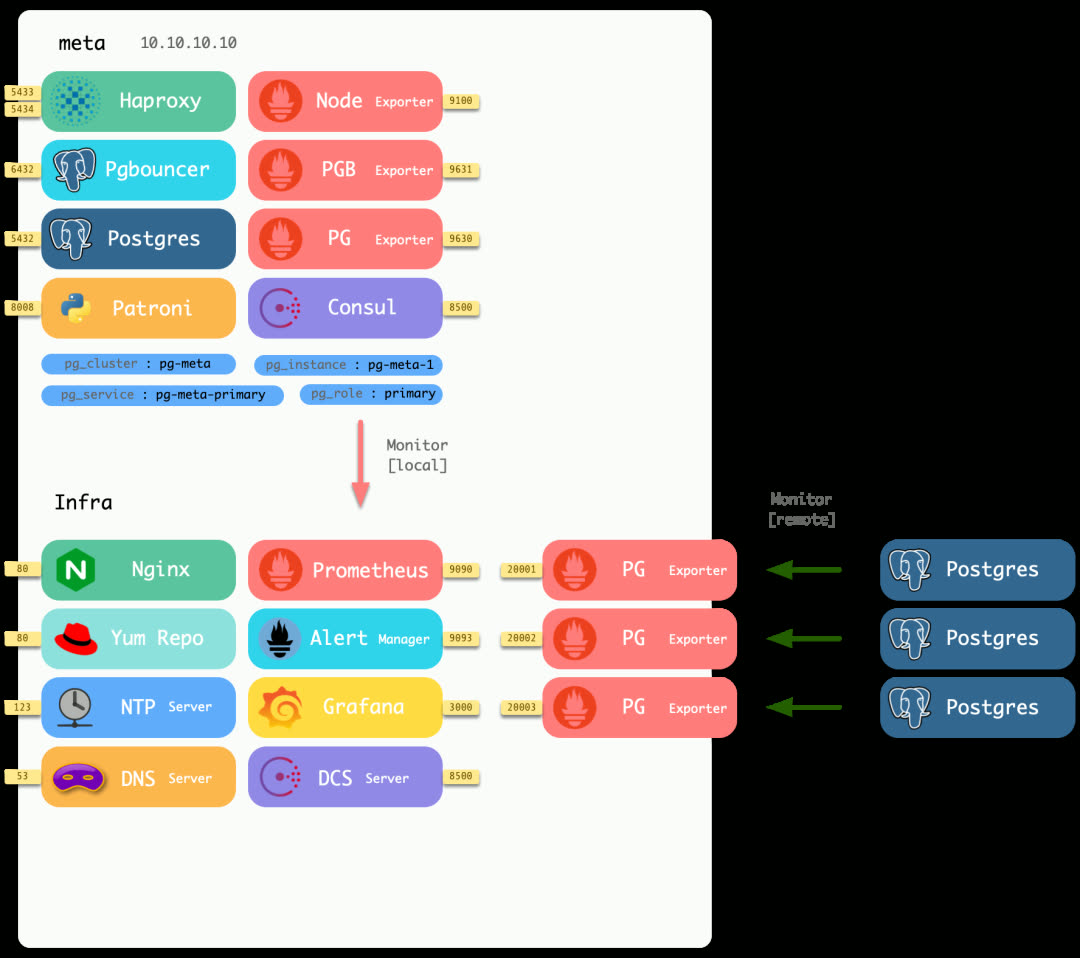
Minimal deployment mode runs pg_exporter on different local ports to monitor external PostgreSQL instances.
In v1.2, Pigsty offers three optional monitoring deployment modes:
| Mode | Description |
|---|---|
| Full | Complete Pigsty deployment with monitoring and control |
| Lean | Deploy only monitoring-related components |
| Minimal | Only requires a database connection string, no remote machine access needed |
The new minimal deployment mode no longer requires login or admin privileges on remote machines — as long as you have a connection string with read-only access to the remote database, you can add it to monitoring. All monitoring functionality is consolidated on a single machine, making management simple and convenient.
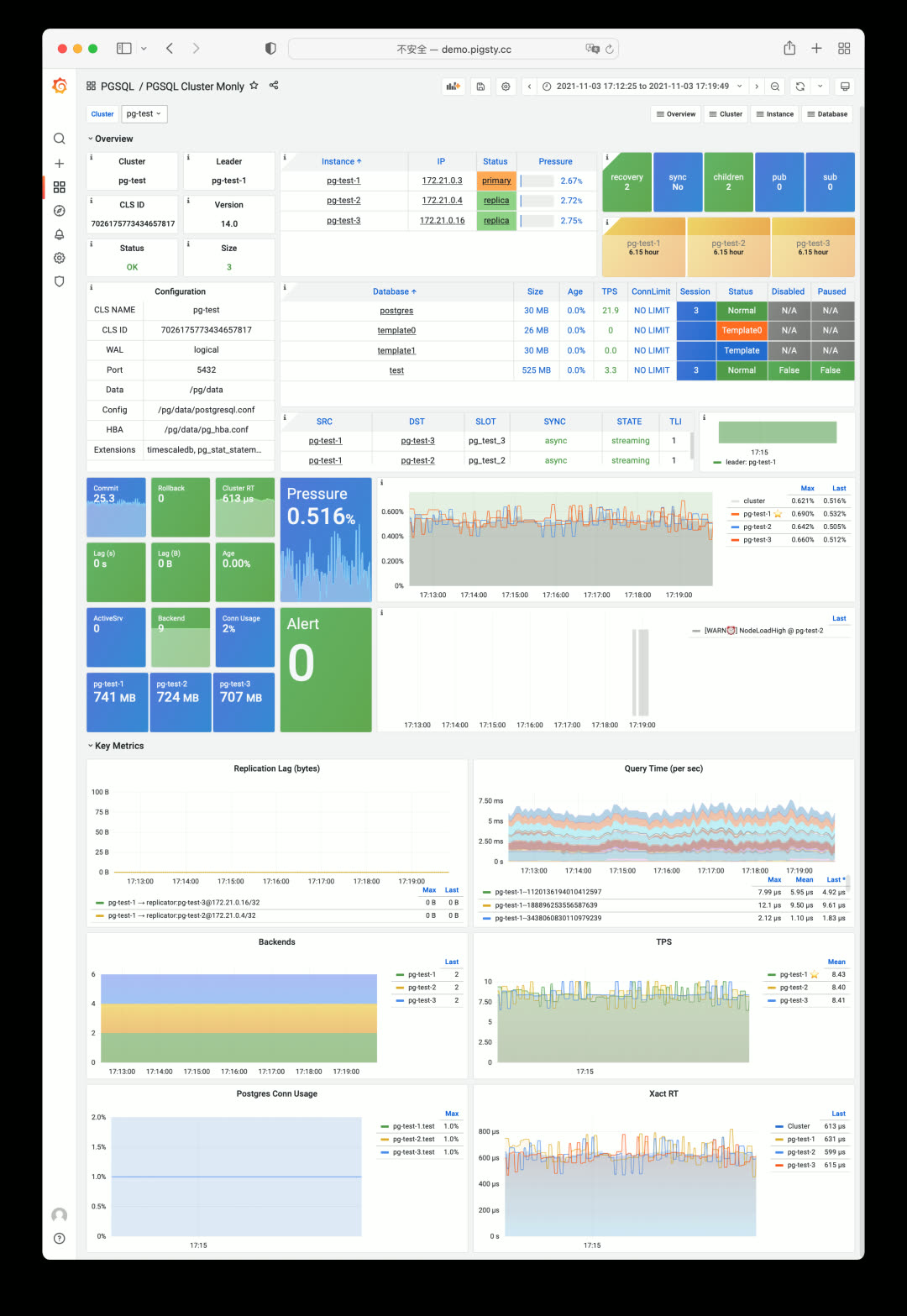
Although you only get PostgreSQL metrics, most of Pigsty’s monitoring system functionality still works. Testing shows Pigsty can also directly monitor MatrixDB, Greenplum, and other PostgreSQL-derived/compatible database products.
Streamlined Configuration Templates
Configuration templates have been further streamlined: now there are only two templates — Production (default) and Sandbox.
Spec parameter templates are now richer, providing smooth transition options:
| Spec | Config | Description |
|---|---|---|
| tiny | 1C1G | Minimal testing spec |
| mini | 2C4G | Development environment spec |
| small | 4C8G | Small production spec |
| medium | 8C16G | Medium production spec |
| large | 16C32G | Large production spec |
| oltp/olap/crit | 64C400G | Professional production spec |
During configuration, the setup wizard automatically selects the appropriate parameter template based on machine specs.
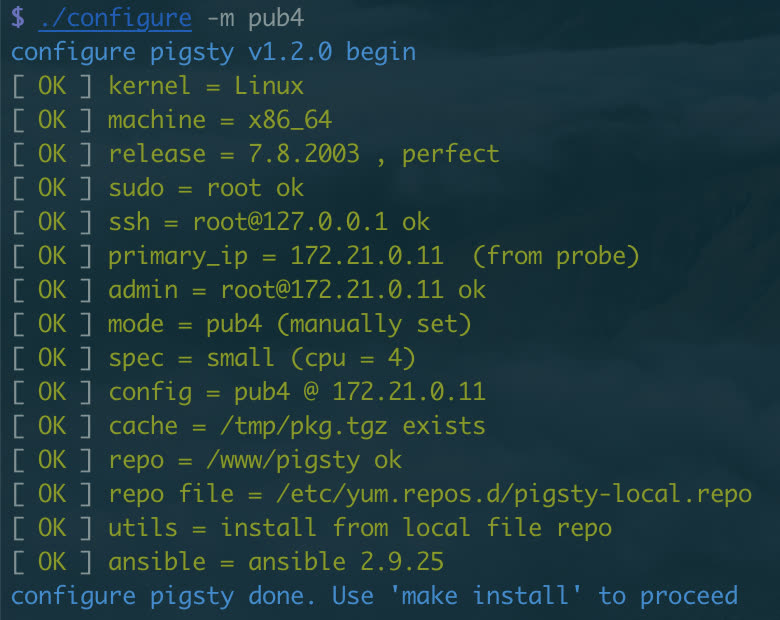
Pigsty maintains its tradition of one-liner installation: ./configure && make install.
Utility Playbooks
The new pgsql-migration playbook auto-generates the commands, scripts, and documentation needed for database migration, making online zero-downtime migrations based on logical replication simple (already used to migrate dozens of databases in production).
The pgsql-audit playbook generates audit reports for database instances based on audit requirements.
Sample Applications
v1.2 provides two new Pigsty App examples:
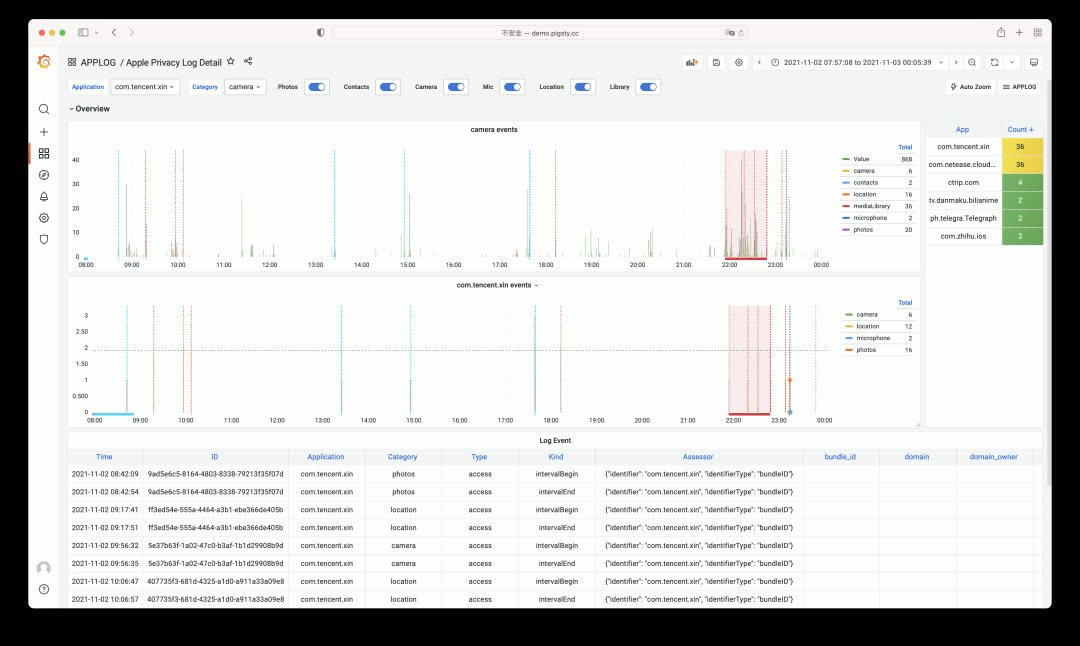
AppLog — An app for visualizing Apple iOS 15 privacy logs, showing which apps accessed which permissions.
WorkTime — An app for querying work and rest hours at major tech companies.
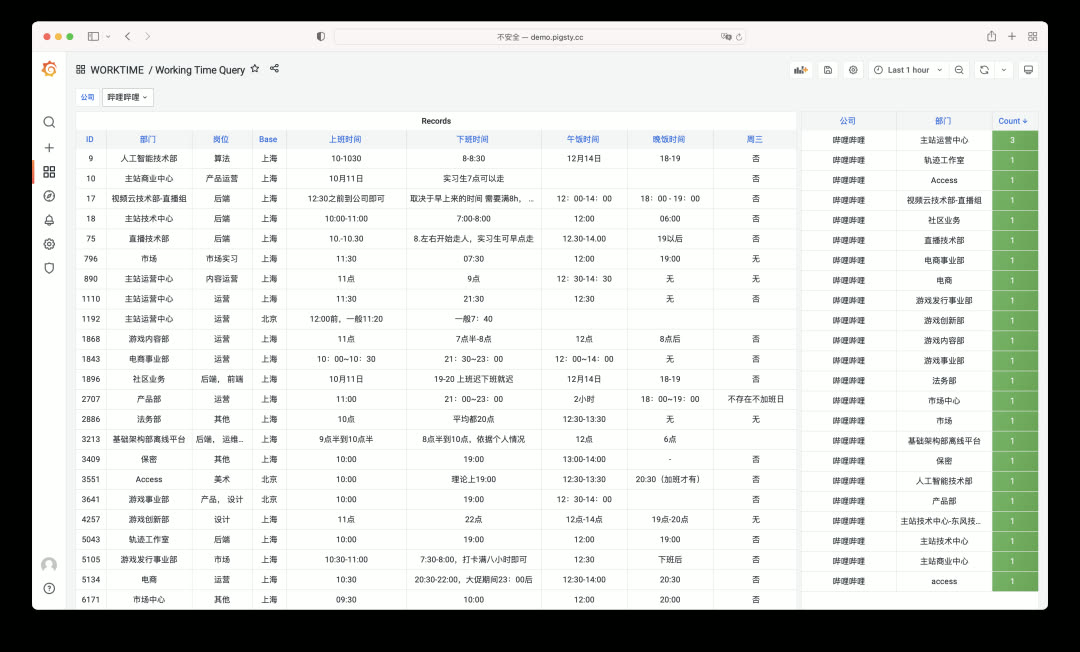
Both apps are simple but practical, each built in under an hour. Pigsty is an excellent tool for rapidly prototyping functional applications.
Looking Ahead
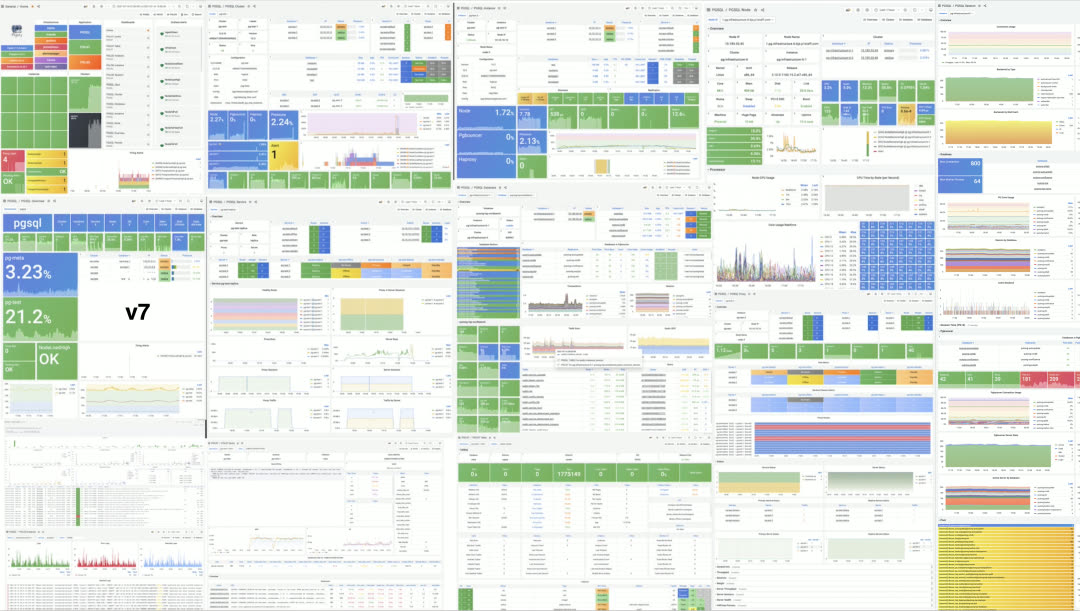
PGSQL v8 — More clearly organized monitoring dashboards with role-specific views for different user groups.
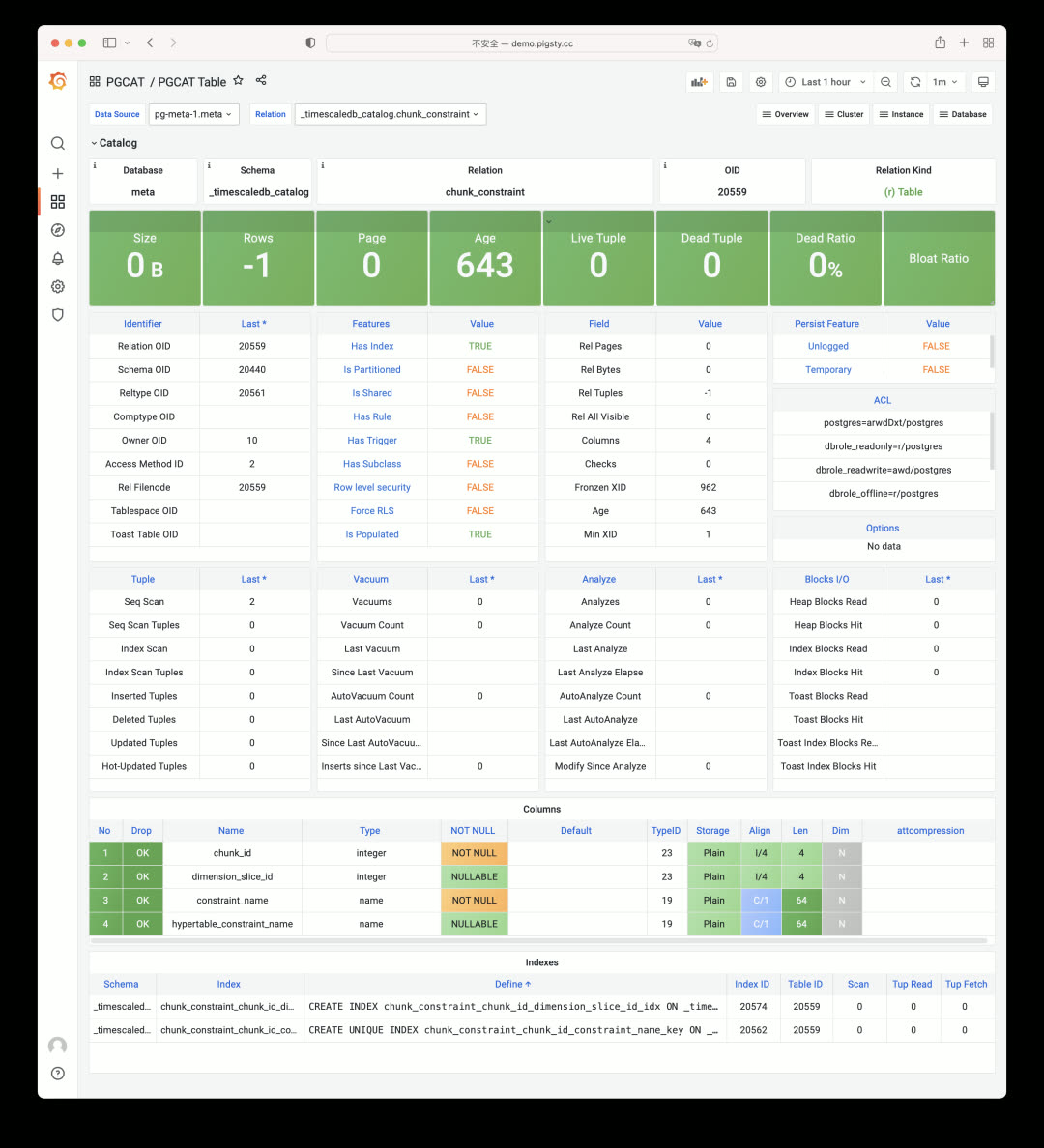
PGCAT v2 — Richer system catalog navigation and browsing functionality.
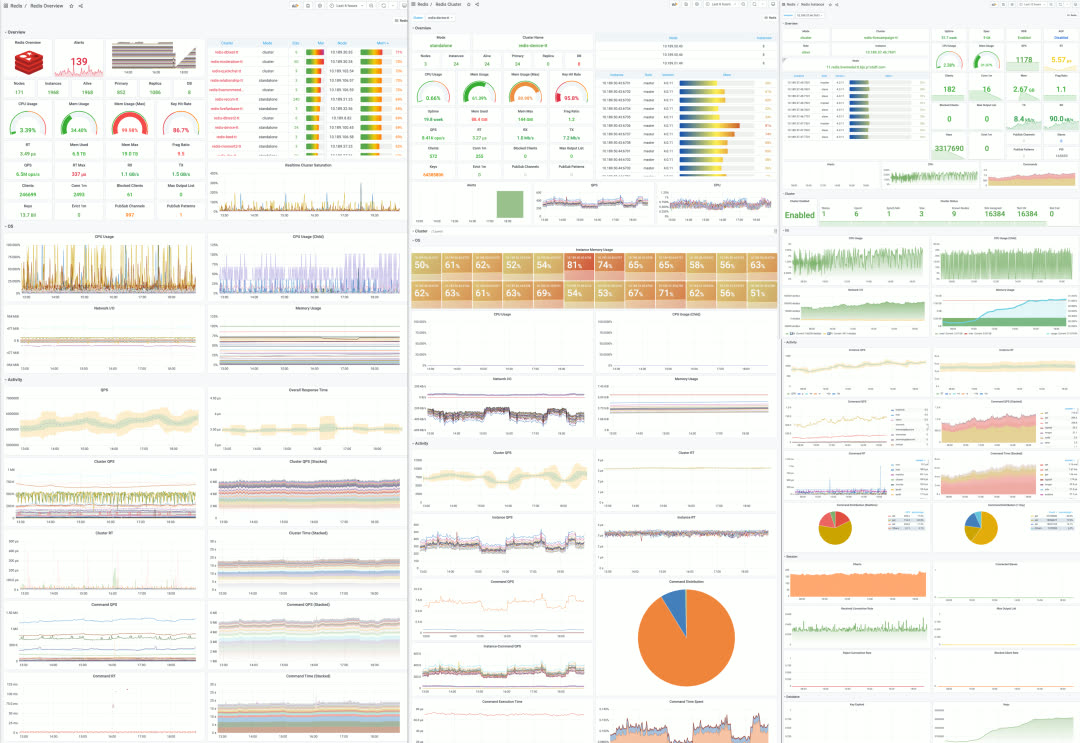
REDIS v1beta — Redis is often used alongside PostgreSQL; future versions will integrate Redis deployment and monitoring as a complete solution.
v1.2.0 Release Notes
Core Features
- Default to PostgreSQL 14
- Default to TimescaleDB 2.5 extension
- TimescaleDB and PostGIS enabled by default in CMDB
Monitor-Only Mode
- Monitor existing PostgreSQL instances via connection URL only
- pg_exporter deployed on local meta node
- New PGSQL Cluster Monly dashboard for remote clusters
Software Upgrades
- Grafana upgraded to 8.2.2
- pev2 upgraded to v0.11.9
- Promscale upgraded to 0.6.2
- PgWeb upgraded to 0.11.9
- New extensions: pglogical, pg_stat_monitor, orafce
Improvements
- Auto-detect machine specs and use appropriate
node_tuneandpg_conftemplates - Reworked bloat-related views, exposing more information
- Removed TimescaleDB and Citus internal monitoring
- Added
pgsql-audit.ymlplaybook for creating audit reports - All config templates simplified to two: auto and demo
Bug Fixes
- pgbouncer_exporter resource owner changed to
{{ pg_dbsu }}instead of postgres - Fixed pg_exporter duplicate metrics on pg_table/pg_index during
REINDEX TABLE CONCURRENTLY
Upgrade Notes
No API changes in v1.2.0 — existing pigsty.yml config files (PG13) still work. For infrastructure, re-running repo will handle most updates.
For databases, you can continue using existing PG13 instances. When PostGIS and TimescaleDB extensions are involved, in-place upgrades are complex — logical replication migrations are recommended. The new pgsql-migration.yml playbook generates scripts to help achieve near-zero-downtime cluster migrations.