Web Interface
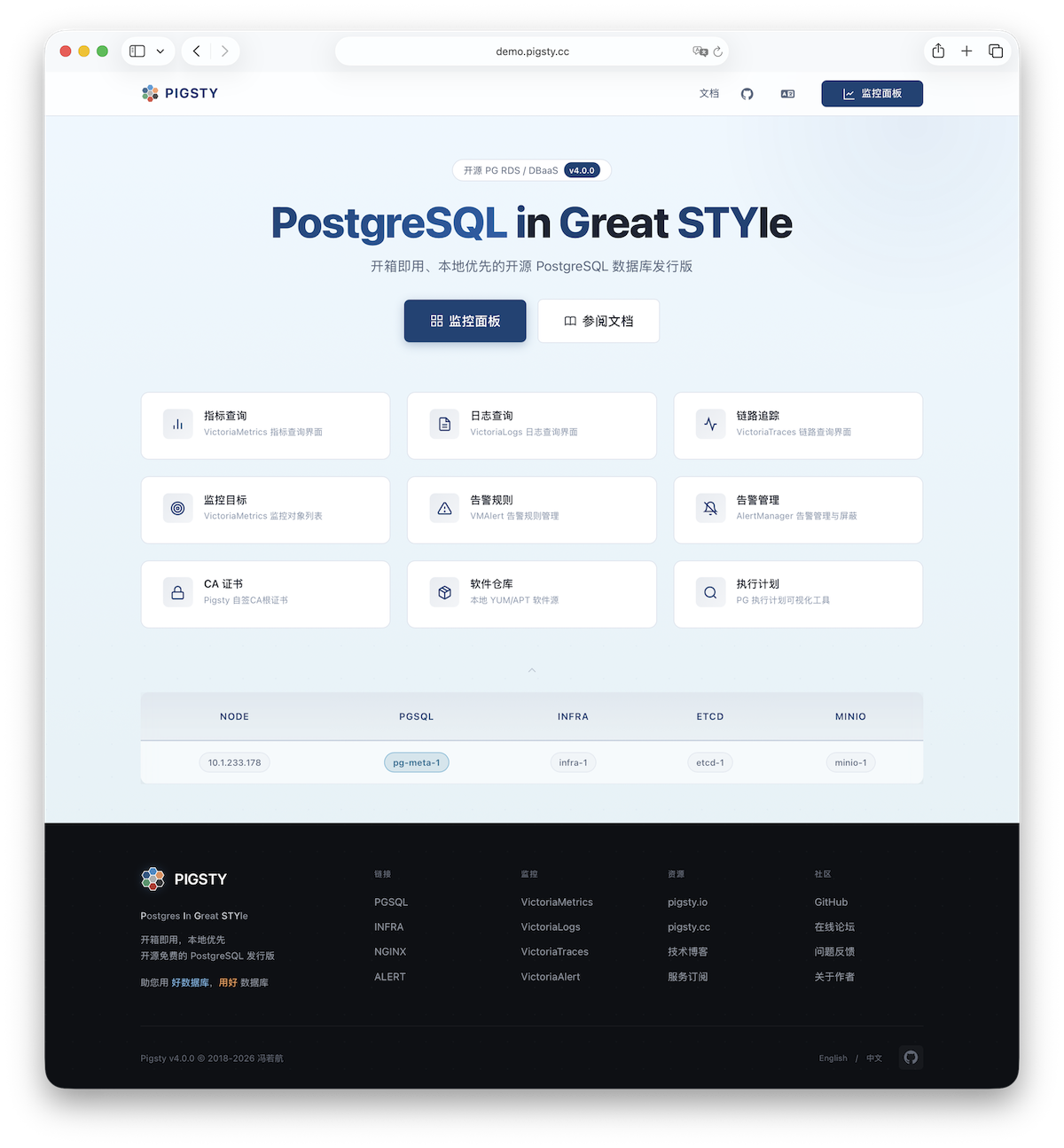
After single-node installation, you’ll have the INFRA module installed on the current node, which includes an out-of-the-box Nginx web server.
The default server configuration provides a WebUI graphical interface for displaying monitoring dashboards and unified proxy access to other component web interfaces.
Access
You can access this graphical interface by entering the deployment node’s IP address in your browser. By default, Nginx serves on standard ports 80/443.
| Direct IP Access | Domain (HTTP) | Domain (HTTPS) | Demo |
|---|---|---|---|
http://10.10.10.10 |
http://i.pigsty |
https://i.pigsty |
https://demo.pigsty.io |
Monitoring
To access Pigsty’s monitoring system dashboards (Grafana), visit the /ui endpoint on the server.
| Direct IP Access | Domain (HTTP) | Domain (HTTPS) | Demo |
|---|---|---|---|
http://10.10.10.10/ui |
http://i.pigsty/ui |
https://i.pigsty/ui |
https://demo.pigsty.io/ui |
If your service is exposed to Internet or office network, we recommend accessing via domain names and enabling HTTPS encryption—only minimal configuration is needed.
Endpoints
By default, Nginx exposes the following endpoints via different paths on the default server at ports 80/443:
| Endpoint | Component | Native Port | Description | Public Demo |
|---|---|---|---|---|
/ |
Nginx | 80/443 |
Homepage, local repo, file service | demo.pigsty.io |
/ui/ |
Grafana | 3000 |
Grafana dashboard portal | demo.pigsty.io/ui/ |
/vmetrics/ |
VictoriaMetrics | 8428 |
Time series database Web UI | demo.pigsty.io/vmetrics/ |
/vlogs/ |
VictoriaLogs | 9428 |
Log database Web UI | demo.pigsty.io/vlogs/ |
/vtraces/ |
VictoriaTraces | 10428 |
Distributed tracing Web UI | demo.pigsty.io/vtraces/ |
/vmalert/ |
VMAlert | 8880 |
Alert rule management | demo.pigsty.io/vmalert/ |
/alertmgr/ |
AlertManager | 9059 |
Alert management Web UI | demo.pigsty.io/alertmgr/ |
/blackbox/ |
Blackbox | 9115 |
Blackbox exporter | |
/haproxy/* |
HAProxy | 9101 |
Load balancer admin Web UI | |
/pev |
PEV2 | 80 |
PostgreSQL execution plan visualizer | demo.pigsty.io/pev |
/nginx |
Nginx | 80 |
Nginx status page (for metrics) |
Domain Access
If you have your own domain name, you can point it to Pigsty server’s IP address to access various services via domain.
If you want to enable HTTPS, you should modify the home server configuration in the infra_portal parameter:
You can run make cert command after deployment to apply for a free Let’s Encrypt certificate for the domain.
If you don’t define the certbot field, Pigsty will use the local CA to issue a self-signed HTTPS certificate by default.
In this case, you must first trust Pigsty’s self-signed CA to access normally in your browser.
You can also mount local directories and other upstream services to Nginx. For more management details, refer to INFRA Management - Nginx.